
Trade & Personal Store
The three ways to open a trade, how to set up your store, the seller fee and the Gremory Case deadlines.
Trading items in MU has two paths: Trade, straight between two characters, and the Personal Store, the little shop anyone can browse and buy from.
Trade: the three ways to ask
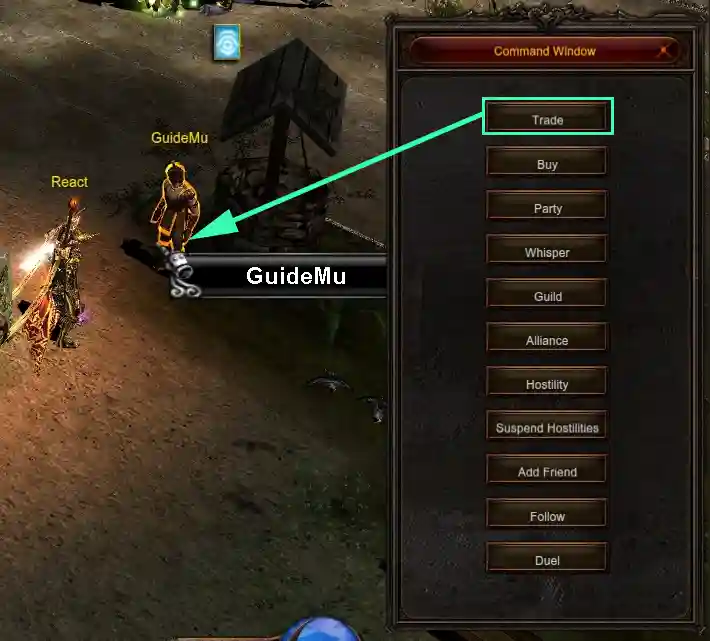
1. Press D, pick Trade and right-click the player.
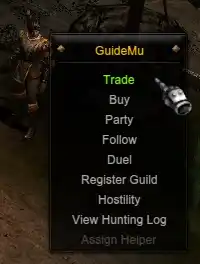
2. Hold ALT and right-click the player — the menu opens with the Trade option.
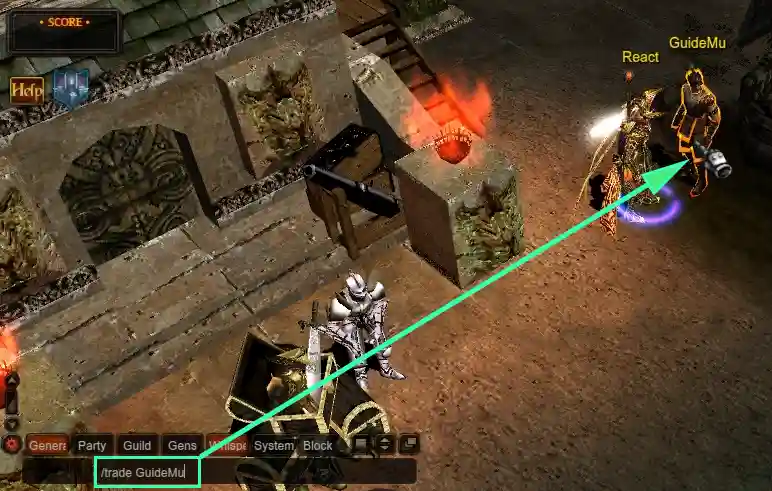
3. Open the chat with ENTER and type /trade name, with your mouse over the player.
Example: hovering over GuideMu, type /trade GuideMu.
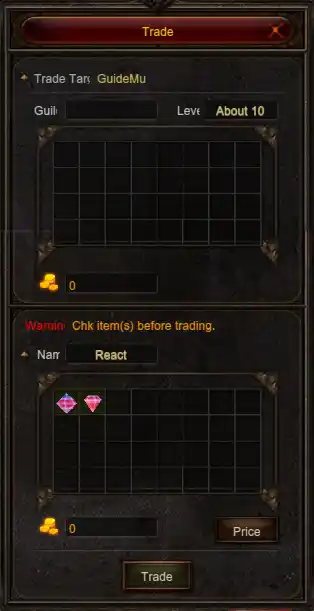
Drag the items into the window and the other player sees what you offered.
- Cap of 999,999,999 Zen per transaction.
- You can check the other side's character, level and guild.
- Unlocked at level 6.
- If either side lacks inventory space, the trade will not go through.
Personal Store
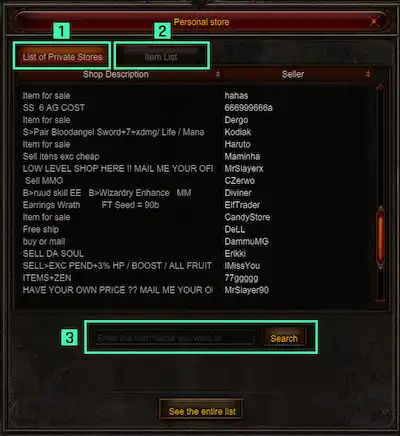
The P key opens the store list.
- Store list — every open store, by player.
- Item list — everything up for sale.
- Search — looks for one item across every store at once.
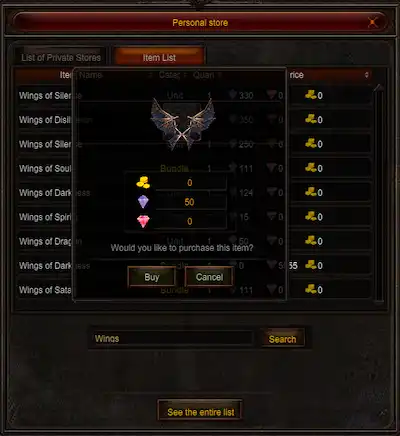
Click the item to open the window with the price. It can be a single item or a bundle — with a bundle you take the whole lot. Confirm on Buy.
What you buy goes to the Gremory Case, not to your inventory.
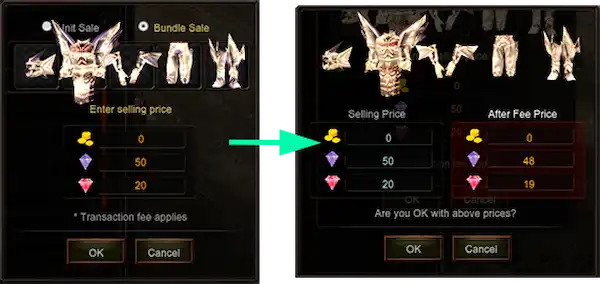
Three ways to open yours: the Personal Store button in the inventory, V + S or I + S.
- Click an empty slot to build the offer.
- Pick item or bundle, set the price, and add things by right-clicking.
- The price can be in Zen, Jewel of Bless or Jewel of Soul.
- You can only edit or pull items out with the store closed.
The seller fee
| Charged on | How much |
|---|---|
| Zen | 1% of the amount exchanged |
| Jewels | 3% of the amount exchanged |
| Up to 16 jewels | no fee |
| 17 jewels or more | at least 1 jewel |
Gremory Case: where everything lands
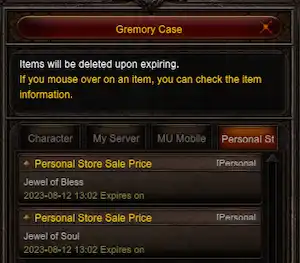
Press K and go to the Personal Store tab. Everything you buy, sell or pull from the store passes through here.
- It holds 150 items. Past that, you cannot buy or sell any more.
- Each item is kept for 7 days.
An item not withdrawn within 7 days is deleted, with no way to get it back.